Your Questions Answered: Introducing Panviva's AI Conversational Search
Your Questions Answered: Introducing Panviva's AI Conversational Search

When customer conversations are complex and regulations are non-negotiable, agents can’t afford to guess, and neither can your AI. That’s exactly why AI Conversational Search on Sidekick exists: to empower your agents with instant, reliable answers, so they can deliver confident, compliant service every time.
Below, we answer the most common questions about how Sidekick works, what sets it apart, and how it helps organizations deliver white-glove service at scale.
What is AI Conversational Search on Sidekick?
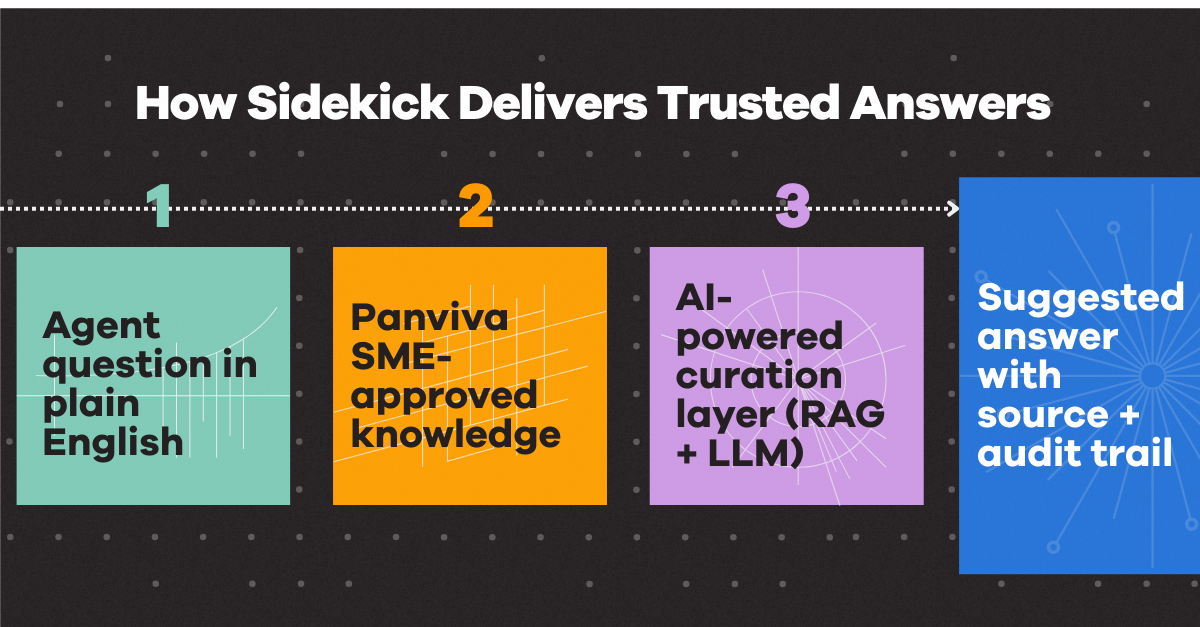
AI Conversational Search on Sidekick provides trusted answers to agents in the moment of need. Leveraging a hybrid model of Retrieval-Augmented Generation (RAG) and a Large Language Model (LLM), Sidekick draws on your organization’s subject matter expert-approved Panviva knowledge to deliver accurate, real-time guidance.
Unlike traditional keyword searches, team members simply ask questions in plain English and instantly receive precise, compliant information. Agents are supported in any customer scenario, reducing friction and keeping performance top-notch.
How is Sidekick different from other AI search tools?
The difference is in the source and the safeguards. Most chatbots generate answers from uncontrolled information and think about accuracy later. Sidekick does the reverse.
Panviva is the only AI-powered curation layer where:
- All knowledge is reviewed and approved by your subject matter experts (SMEs)
- AI generates suggestions, not unchecked responses
- Human oversight is built-in, ensuring compliance at every step
This ensures Sidekick always guides agents to the right answer, even when navigating complex policies, regulations, or eligibility questions. No hallucinations, no risky guesses, just informed, auditable recommendations every time.
What benefits does AI Conversational Search deliver?
By integrating Sidekick into your operations, you gain:
- Increased efficiency: Agents get immediate answers. No more digging through manuals or guessing keywords.
- Guaranteed compliance: Only your vetted Panviva content is used, minimizing risk and ensuring regulatory alignment. Role-based permissions ensure agents access only the knowledge they’re authorized to view, maintaining strict security and compliance with organizational policies.
- Superior user experience: Intuitive design means if agents can ask a question, they can use Sidekick. This means adoption is quick and less time is spent on training.
- Streamlined workflows: One-click source access and easy copy-paste functionality help agents integrate information directly into notes, cases, or communications, speeding up every interaction.
Who is Sidekick built for?
Organizations in highly regulated, complex environments see the greatest impact. Typical users and beneficiaries include:
- Large or distributed contact centers
- Healthcare, financial services, utilities, and BPOs
- Contact center agents, bankers, tellers, patient services, and back-office teams
When precision, compliance, and agility are non-negotiable, Sidekick equips your teams to excel.
How does Sidekick help with compliance?
For Sidekick, compliance is foundational, not just a feature. The solution ensures:
- Agents only access up-to-date, approved knowledge
- Audit trails and review workflows are enforced
- Real-time alerts highlight updates to critical content
- Consistent guidance is delivered across every channel
This drastically reduces misquotes, audit risk, and uncertainty, while giving compliance and legal teams total confidence in agent guidance.
Can Sidekick improve agent productivity and training?
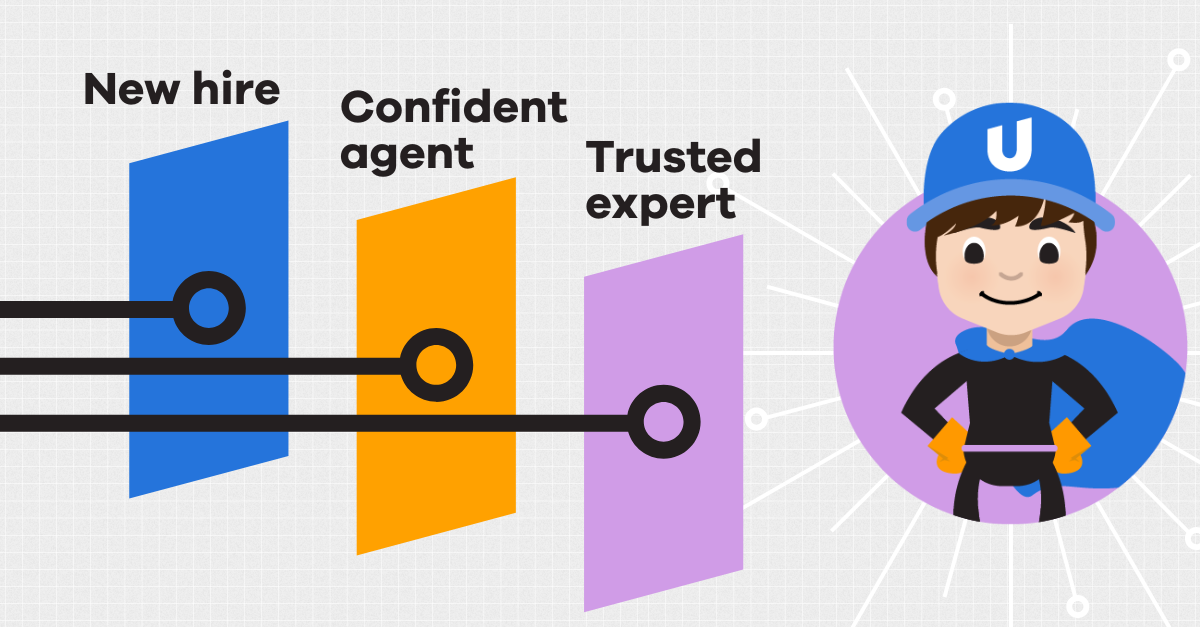
Absolutely. By eliminating manual searches and reducing cognitive load, Sidekick equips agents to:
- Resolve issues and customer requests faster
- Gain confidence and expertise sooner
- Transition more rapidly from novice to expert
Organizations using Panviva report significant reductions in onboarding and training times, faster time-to-competency, and improved retention. When agents feel supported, they stay. And succeed.
Does Sidekick replace knowledge bases or existing tools?
Not at all. Sidekick activates your existing knowledge and trusted ‘guide on the side.’ It doesn’t replace it.
Panviva works alongside your current systems, unifying knowledge delivery across channels while maintaining governance, versioning, and control. You can evolve at your own pace, from manual knowledge management to fully AI-powered guidance.
What’s the business impact of AI Conversational Search on Sidekick?
Adopting Sidekick translates directly to tangible ROI:
- Reduce average handle time (AHT)
- Improve first-contact resolution
- Lower training and onboarding costs
- Increase customer confidence and satisfaction
- Reduce compliance risk and rework
The result? Customers receive the consistent, accurate, empathetic support they demand at every touchpoint.
How do I use AI Conversational Search?
Getting started is simple:
- Access Sidekick via the browser extension (Chrome or Microsoft Edge) on compatible websites
- Ask your question in plain English, as you would to a colleague
- Receive a precise answer that’s compliant, contextual, and actionable
- Take next steps:
- Give feedback on the response
- Click through to the full knowledge source
- Copy the answer with one click into your notes or communications
How do I see Sidekick in action?
The best way to understand Sidekick is to experience it.
- Check out the Sidekick FAQ infographic for a quick & detailed breakdown
- See Sidekick in action with our brief interactive demo
- Book your personalized demo with an expert – no hard sales push, we love to show off our solutions!
How do I get started with Sidekick right now?
For current Panviva customers, getting started is easy. Sidekick’s AI Conversational Search is included in the Panviva Knowledge Anywhere tier. If that’s you, to get started:
- First, email panviva-support@uplandsoftware.com with your organization name and tenant ID (found in your Panviva URL).
- Once enabled, simply download the extension from the Chrome Web Store or Microsoft Edge Add-ons store.
- Note: Your organization needs both Knowledge Anywhere and Digital Orchestrator to enable Sidekick. If your organization isn’t currently using Knowledge Anywhere, please reach out to your Customer Success Manager to discuss upgrading.